
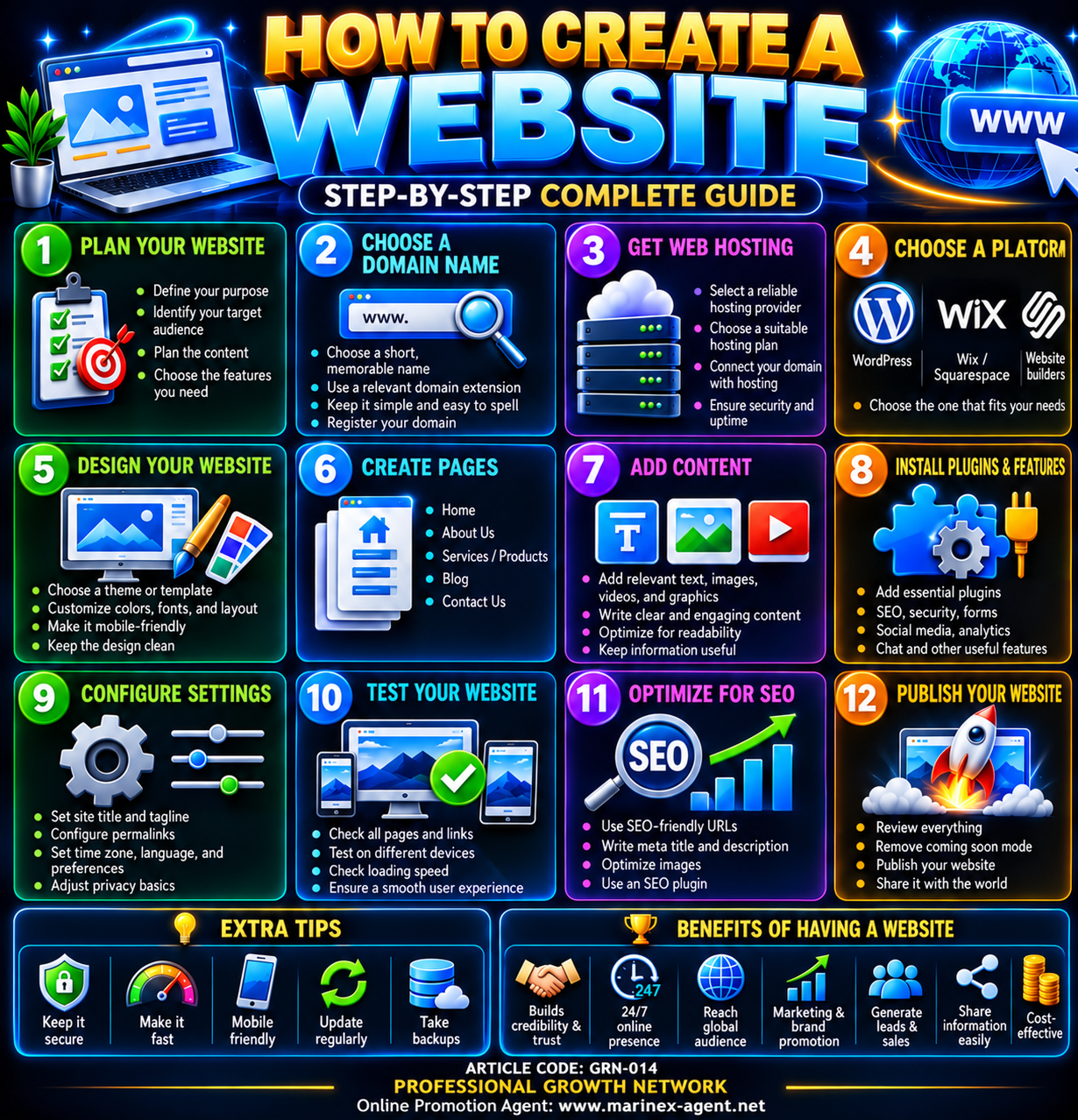
How to Create a Website — Step-by-Step Complete Guide
ARTICLE CODE: GRN-014
Category: PROFESSIONAL GROWTH NETWORK
Creating a website today is much easier than it was in the past. With the right structure and a clear plan, almost anyone can build a professional online presence.
Below is a practical 12-step guide for creating a website from the initial idea to publication.
1. Plan Your Website
Before creating anything, clearly define the purpose of your website.
Consider:
- What is the main purpose of the website?
- Who is your target audience?
- What information will visitors need?
- What services or products will you present?
- What actions should visitors take?
A clear plan helps avoid unnecessary pages and complicated navigation.
2. Choose a Domain Name
Your domain name is the internet address of your website.
A good domain name should be:
- Short
- Easy to remember
- Easy to spell
- Relevant to your business or project
- Professional
Common domain extensions include:
.com.net.org- Country-specific extensions
Before registering a domain, check that the name is available and does not conflict with an existing brand.
3. Get Web Hosting
Web hosting is the service that stores your website files and makes them available on the Internet.
When selecting a hosting provider, consider:
- Reliability
- Server performance
- Technical support
- Security
- Backup options
- Storage capacity
- Email services
- SSL certificates
Choose a hosting package appropriate for the expected size and traffic of your website.
4. Choose a Website Platform
The next step is selecting the system that will be used to build and manage the website.
Popular options include:
- WordPress
- Wix
- Squarespace
- Other website builders
- Custom-developed websites
WordPress is widely used because it offers extensive customization through themes, plugins, and page builders.
The best platform depends on the purpose and complexity of the project.
5. Design Your Website
The website design should be attractive, professional, and easy to use.
Pay attention to:
- Colors
- Fonts
- Page layout
- Navigation
- Images
- Buttons
- Mobile compatibility
The design should support the content rather than distract from it.
A clean and consistent visual style usually creates the best user experience.
6. Create the Main Pages
Most professional websites require several basic pages.
Typical examples include:
- Home
- About Us
- Services
- Products
- Blog
- Contact Us
Depending on the project, additional pages may include:
- FAQ
- Terms and Conditions
- Privacy Policy
- Portfolio
- Client Area
- Online Application
- Company Documents
Every important subject should have a clear and logical place within the website structure.
7. Add Content
Content is one of the most important parts of any website.
It may include:
- Text
- Photographs
- Infographics
- Videos
- Documents
- Tables
- Links
- Contact information
Website content should be:
- Clear
- Relevant
- Accurate
- Easy to read
- Regularly updated
Long texts should be divided into sections using headings and subheadings.
8. Install Plugins and Additional Features
Plugins and extensions can add additional functionality to a website.
Depending on the platform, useful features may include:
- SEO tools
- Security protection
- Contact forms
- Backup systems
- Anti-spam protection
- Analytics
- Social media integration
- Chat systems
- Image optimization
- Database functions
Only necessary plugins should be installed because too many plugins may reduce website performance.
9. Configure Website Settings
Before publication, important technical settings must be checked.
These may include:
- Website title
- Tagline
- Permalink structure
- Language
- Time zone
- Administrator email
- Privacy settings
- User permissions
- Comment settings
It is also important to confirm that HTTPS and the SSL certificate are working correctly.
10. Test Your Website
Testing should be completed before the website becomes publicly available.
Check:
- Every page
- Every menu item
- Internal links
- External links
- Contact forms
- Images
- Videos
- Buttons
The website should also be tested on different devices:
- Desktop computer
- Notebook
- Tablet
- Smartphone
Special attention should be given to mobile usability and page loading speed.
11. Optimize the Website for SEO
SEO — Search Engine Optimization — helps search engines understand and index website content.
Basic SEO work includes:
- Using SEO-friendly URLs
- Creating clear page titles
- Writing meta descriptions
- Using proper H1, H2 and H3 headings
- Optimizing images
- Adding alternative image text
- Creating internal links
- Publishing useful original content
- Improving website speed
SEO is normally an ongoing process rather than a one-time task.
12. Publish Your Website
After design, content, configuration and testing are completed, the website can be published.
Before launch:
- Review the entire website
- Correct spelling and formatting errors
- Check navigation
- Confirm contact information
- Test forms and links
- Remove temporary or “Coming Soon” pages
- Make a backup
After publication, continue monitoring the website and updating its content.
Conclusion
Creating a professional website is a structured process.
The basic sequence is:
Plan → Domain → Hosting → Platform → Design → Pages → Content → Features → Settings → Testing → SEO → Publication
A website should not be considered a finished product after launch. It is a continuously developing digital resource that requires regular updates, security checks, backups and new content.
A well-organized website can strengthen credibility, expand international visibility, generate new contacts and support long-term professional and business development.
ARTICLE CODE: GRN-014
PROFESSIONAL GROWTH NETWORK
Online Promotion Agent: www.marinex-agent.net