
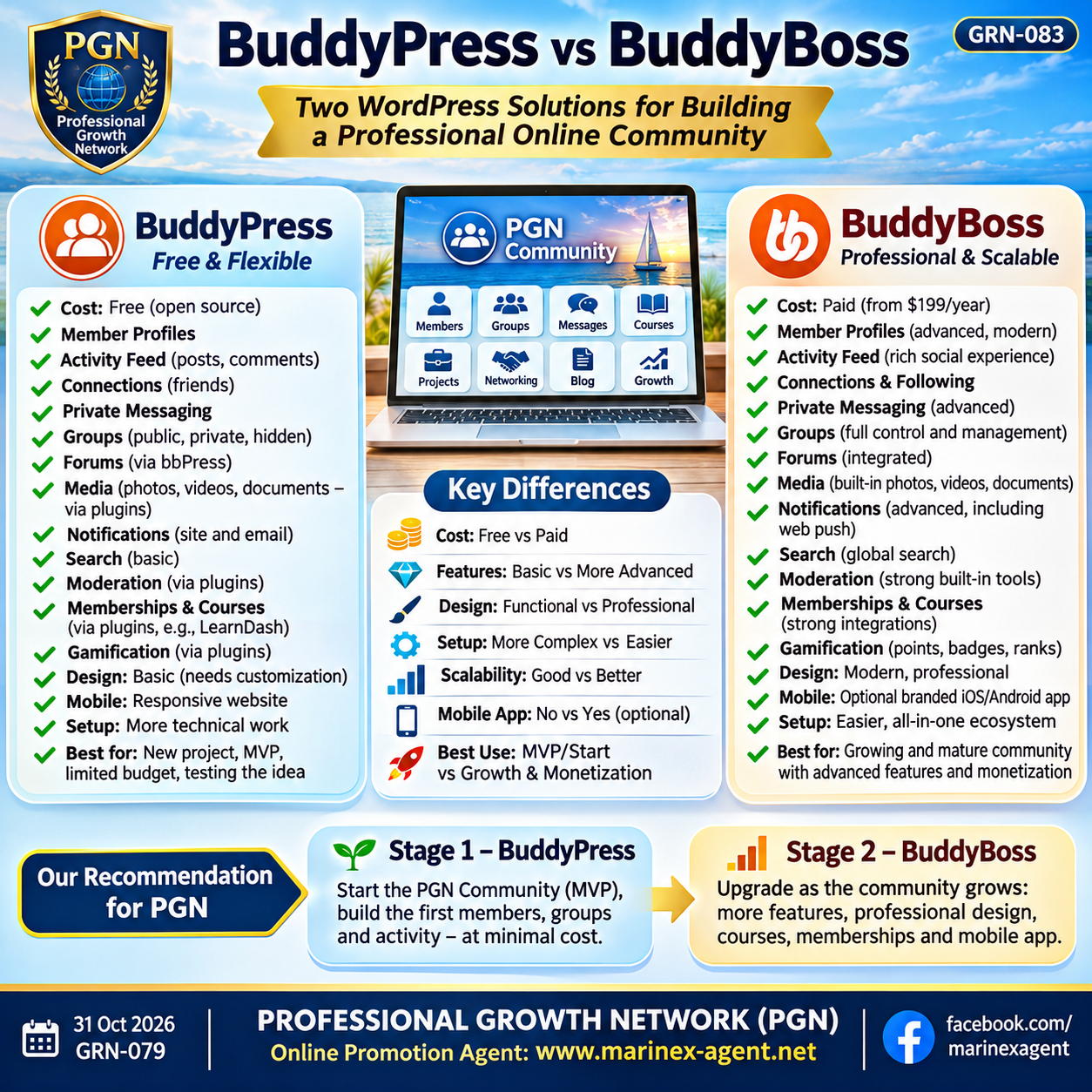
BuddyPress vs BuddyBoss: Choosing
the Right Community Platform
Parent Category: PROFESSIONAL GROWTH NETWORK (PGN)
Category: Computer Skills & Digital Literacy / Personal Growth & Self-Development
Article Code: GRN-083
Building an online professional community requires more than simply creating a website. A modern community platform should support member profiles, private communication, groups, activity feeds, media sharing, notifications, moderation, and future monetization.
Two popular WordPress-based solutions are BuddyPress and BuddyBoss.
Both can be used to build an online social community, but they are designed for different stages of growth.
1. Cost
BuddyPress is free and open source.
It is suitable for creating a basic social network without purchasing an expensive community platform.
BuddyBoss is a commercial solution with paid plans.
Its main advantage is that many advanced community features are already integrated into one professional system.
2. Member Profiles
Both systems support user profiles.
BuddyPress provides:
- Member profiles
- Custom profile fields
- Basic member directories
BuddyBoss provides the same functionality but usually offers a more polished interface and more advanced profile layouts.
3. Activity Feed
Both platforms allow members to publish updates and interact with community activity.
Typical functions include:
- Posts
- Comments
- Mentions
- Likes or reactions
- Activity updates
BuddyBoss generally provides a more modern social-media-style experience.
4. Connections and Networking
BuddyPress supports member connections and friend-style relationships.
BuddyBoss expands this concept with more professional networking tools, including advanced connections and following functionality.
For a professional network such as PGN, this feature can be especially important.
5. Private Messaging
Both platforms support private communication between members.
BuddyPress includes basic private messaging.
BuddyBoss provides a more modern messaging experience and may include richer communication functions depending on the plan and configuration.
6. Groups
Both systems support community groups.
Groups may be:
- Public
- Private
- Hidden
This makes it possible to organize a professional community into specialized areas.
For example:
- Maritime
- Business
- Health
- Technology
- Energy
- Education
- Art
- Lifestyle
7. Forums
BuddyPress usually works together with bbPress to provide forum functionality.
BuddyBoss offers more integrated discussion and forum features.
This can simplify community management and improve the user experience.
8. Photos, Videos, and Documents
BuddyPress can support media sharing, but additional plugins are often required.
BuddyBoss provides stronger built-in support for:
- Photos
- Videos
- Documents
- Media sharing inside groups and profiles
This is especially useful for large professional communities.
9. Notifications
Both systems support notifications.
BuddyPress provides basic site and email notifications.
BuddyBoss offers more advanced notification possibilities and can support integrations for web push notifications.
10. Search
BuddyPress includes basic member and community search.
BuddyBoss provides more advanced global search functions that can help users find:
- Members
- Groups
- Discussions
- Content
- Activities
For a large international network, better search becomes increasingly important.
11. Moderation and Community Control
Moderation is essential for any growing social network.
BuddyPress can be extended with moderation plugins.
BuddyBoss provides stronger built-in moderation tools, including functions such as:
- Reporting
- Blocking
- Content management
- Member control
- Automatic moderation options
This can significantly reduce administrative workload.
12. Membership and Monetization
Both platforms can work with membership systems and payment plugins.
Possible monetization models include:
- Free membership
- Premium membership
- Paid groups
- Courses
- Advertising
- Featured profiles
- Professional services
- Business introductions
BuddyBoss is generally more convenient for creating a commercial community platform because many integrations are already designed for this purpose.
13. Learning and Courses
BuddyPress can integrate with learning management systems such as LearnDash or Tutor LMS.
BuddyBoss is especially well suited for combining:
Community + Courses + Membership
This makes it useful for professional development networks.
14. Gamification
Gamification can motivate users to participate more actively.
BuddyPress usually requires additional plugins.
BuddyBoss can support features such as:
- Points
- Badges
- Ranks
- Leaderboards
These tools can reward active members and experts.
15. Design
BuddyPress provides the basic community infrastructure but often requires additional design work.
BuddyBoss offers a more polished social-network-style interface from the beginning.
This is one of the biggest practical differences between the two systems.
16. Mobile Experience
BuddyPress works through a responsive WordPress website.
BuddyBoss also provides options for branded mobile applications for iOS and Android.
For a large international community, a dedicated mobile app can become an important future advantage.
17. Technical Complexity
BuddyPress usually requires more configuration.
To create a complete social network, it may be necessary to install several additional plugins.
BuddyBoss simplifies this process by combining many functions into one ecosystem.
Therefore:
BuddyPress = more technical configuration, lower initial cost.
BuddyBoss = easier professional deployment, higher cost.
18. Scalability
Both systems depend heavily on WordPress hosting performance.
As the number of members increases, the platform may require:
- Better hosting
- VPS or cloud hosting
- Database optimization
- CDN
- Media storage optimization
- Backup systems
- Security monitoring
BuddyBoss provides more tools for larger communities, but hosting infrastructure remains important.
19. Best Use Case for BuddyPress
BuddyPress is a good choice when:
- The project is new
- The budget is limited
- The community concept is being tested
- Only basic social functions are required
- The number of users is still small
For a new PGN Social Network, BuddyPress can be an excellent MVP solution.
20. Best Use Case for BuddyBoss
BuddyBoss becomes more attractive when:
- The community has hundreds or thousands of active members
- Professional design becomes important
- Media sharing is heavily used
- Courses and memberships are introduced
- Moderation becomes more complex
- A mobile app is required
- Monetization becomes a priority
At this stage, BuddyBoss can provide a more complete professional environment.
Comparison Summary
| Feature | BuddyPress | BuddyBoss |
|---|---|---|
| Cost | Free | Paid |
| Member Profiles | Yes | Yes, more advanced |
| Activity Feed | Yes | Yes, more polished |
| Private Messaging | Yes | Yes |
| Groups | Yes | Yes |
| Forums | Via bbPress | More integrated |
| Photos / Videos | Plugins often needed | Better built-in support |
| Documents | Plugins often needed | Better support |
| Notifications | Basic | More advanced |
| Search | Basic | Global Search |
| Moderation | Plugins often needed | Stronger built-in tools |
| Memberships | Via plugins | Strong integrations |
| Courses | Via LMS plugins | Strong LMS integration |
| Gamification | Via plugins | Advanced options |
| Mobile App | No dedicated app by default | Available separately |
| Design | Basic | Professional |
| Setup Complexity | Higher | Lower |
| Best for MVP | Excellent | Possible but costly |
| Best for Mature Network | Possible | Better suited |
Conclusion
BuddyPress and BuddyBoss are not direct competitors in every situation.
They can be understood as two stages of community development.
BuddyPress is ideal for starting a professional social network with minimal cost.
BuddyBoss is better suited for a mature community that needs stronger design, advanced media, memberships, moderation, courses, and mobile access.
For the development of the Professional Growth Network, a practical strategy could be:
Stage 1 — BuddyPress
Create the first PGN community:
Member Profiles → Groups → Activity Feed → Connections → Messages
Test whether people register, communicate, and actively use the network.
Stage 2 — BuddyBoss
When the community grows:
Professional Profiles → Rich Media → Courses → Premium Membership → Gamification → Mobile App
This approach allows PGN to start economically, test the concept, and invest in a more advanced platform only when real user activity justifies the cost.
PROFESSIONAL GROWTH NETWORK (PGN)
Online Promotion Agent: www.marinex-agent.net
facebook.com/marinexagent