
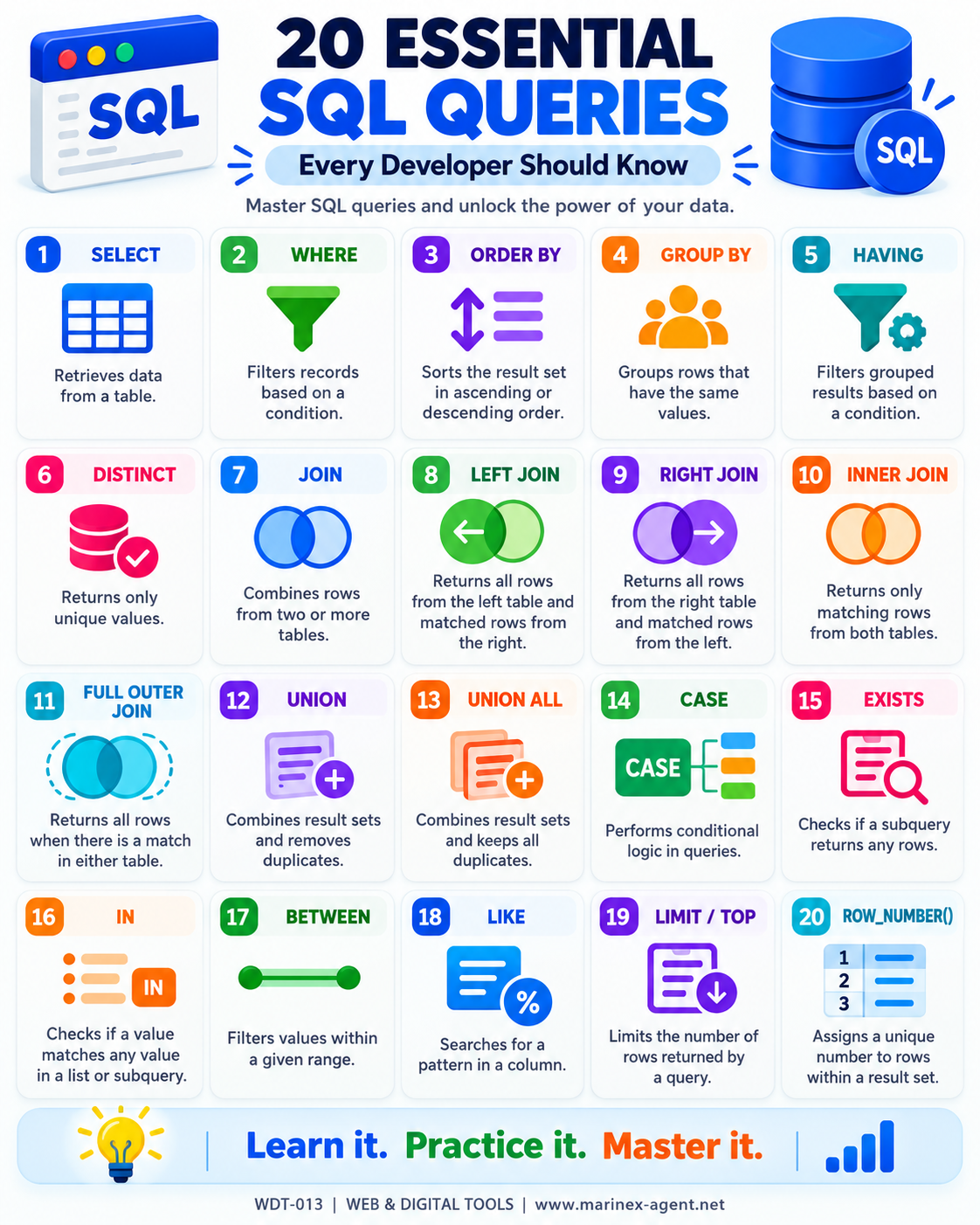
20 Essential SQL Queries
Every Developer Should Know
ARTICLE CODE: WDT-013
SQL is one of the core technologies used in software development, data analysis, reporting, and database management.
A developer does not need to memorize every possible SQL command, but a strong understanding of the most common queries makes it much easier to work with real databases, build applications, analyze information, and solve practical business tasks.
Below are 20 essential SQL queries and concepts every developer should know.
1. SELECT
The SELECT statement retrieves data from a database table.
SELECT column1, column2
FROM table_name;
It is the basic starting point for almost every SQL query.
Main purpose: retrieve required data from a table.
2. WHERE
The WHERE clause filters records according to a specified condition.
SELECT *
FROM table_name
WHERE condition;
Example:
SELECT *
FROM employees
WHERE department = 'Sales';
Main purpose: return only records that match specific criteria.
3. ORDER BY
The ORDER BY clause sorts query results.
SELECT *
FROM table_name
ORDER BY column_name ASC;
Use:
ASC— ascending order;DESC— descending order.
Main purpose: organize results in a useful sequence.
4. GROUP BY
The GROUP BY clause groups rows that share the same values.
SELECT department, COUNT(*)
FROM employees
GROUP BY department;
It is often used together with aggregate functions such as COUNT(), SUM(), AVG(), MIN(), and MAX().
Main purpose: summarize and aggregate data.
5. HAVING
The HAVING clause filters grouped results.
SELECT department, COUNT(*)
FROM employees
GROUP BY department
HAVING COUNT(*) > 5;
Unlike WHERE, HAVING is normally used after aggregation.
Main purpose: filter grouped or aggregated results.
6. DISTINCT
The DISTINCT keyword removes duplicate values from query results.
SELECT DISTINCT country
FROM customers;
If the same country appears hundreds of times, DISTINCT returns it only once.
Main purpose: return unique values.
7. JOIN
A JOIN combines related data from two or more tables.
SELECT *
FROM employees
JOIN departments
ON employees.department_id = departments.id;
JOIN is essential in relational databases because information is usually separated into multiple tables.
Main purpose: connect related tables.
8. LEFT JOIN
A LEFT JOIN returns all rows from the left table and matching rows from the right table.
SELECT *
FROM customers c
LEFT JOIN orders o
ON c.id = o.customer_id;
If no matching record exists in the right table, SQL usually returns NULL.
Main purpose: preserve all records from the primary table.
9. RIGHT JOIN
A RIGHT JOIN returns all rows from the right table and matching rows from the left table.
SELECT *
FROM customers c
RIGHT JOIN orders o
ON c.id = o.customer_id;
It is essentially the opposite of LEFT JOIN.
Main purpose: preserve all records from the right-side table.
10. INNER JOIN
An INNER JOIN returns only records that exist in both tables.
SELECT *
FROM employees e
INNER JOIN departments d
ON e.department_id = d.id;
Records without a matching relationship are excluded.
Main purpose: return only matched data.
11. FULL OUTER JOIN
A FULL OUTER JOIN returns all rows from both tables.
SELECT *
FROM table1 t1
FULL OUTER JOIN table2 t2
ON t1.id = t2.id;
Matching rows are combined, while unmatched rows from either table are also included.
Main purpose: show the complete relationship between two datasets.
12. UNION
The UNION operator combines the results of two compatible SELECT queries and removes duplicates.
SELECT city
FROM customers

UNION

SELECT city
FROM suppliers;
Main purpose: combine result sets while keeping only unique rows.
13. UNION ALL
UNION ALL also combines result sets, but it keeps duplicate rows.
SELECT city
FROM customers

UNION ALL

SELECT city
FROM suppliers;
UNION ALL is often faster than UNION because SQL does not need to remove duplicates.
Main purpose: combine complete result sets.
14. CASE
The CASE expression adds conditional logic to a query.
SELECT name,
CASE
    WHEN salary >= 80000 THEN 'High'
    WHEN salary >= 50000 THEN 'Medium'
    ELSE 'Low'
END AS salary_level
FROM employees;
CASE is useful for creating categories, statuses, and business rules.
Main purpose: create conditional results.
15. EXISTS
The EXISTS operator checks whether a subquery returns at least one row.
SELECT *
FROM customers c
WHERE EXISTS (
    SELECT 1
    FROM orders o
    WHERE o.customer_id = c.id
);
This query returns customers who have at least one order.
Main purpose: verify whether related data exists.
16. IN
The IN operator checks whether a value matches any value in a list or subquery.
SELECT *
FROM employees
WHERE department IN ('Sales', 'Finance', 'IT');
It is often cleaner than writing several OR conditions.
Main purpose: filter by multiple allowed values.
17. BETWEEN
The BETWEEN operator filters values within a range.
SELECT *
FROM employees
WHERE salary BETWEEN 50000 AND 80000;
It can also be used with dates.
SELECT *
FROM orders
WHERE order_date BETWEEN '2026-01-01' AND '2026-12-31';
Main purpose: search within numeric, date, or other comparable ranges.
18. LIKE
The LIKE operator searches for patterns in text.
SELECT *
FROM customers
WHERE name LIKE 'A%';
Common wildcard symbols include:
%— any number of characters;_— a single character.
Example:
WHERE email LIKE '%@gmail.com'Main purpose: perform pattern-based text searches.
19. LIMIT / TOP
LIMIT or TOP restricts the number of rows returned by a query.
MySQL/PostgreSQL example:
SELECT *
FROM employees
LIMIT 10;
SQL Server example:
SELECT TOP 10 *
FROM employees;
This is useful when working with large datasets or when only the first few results are required.
Main purpose: control result size.
20. ROW_NUMBER()
The ROW_NUMBER() function assigns a unique sequential number to each row in a result set.
SELECT
    name,
    salary,
    ROW_NUMBER() OVER (
        ORDER BY salary DESC
    ) AS row_num
FROM employees;
It is especially useful for:
- ranking;
- pagination;
- selecting the latest record;
- removing duplicates;
- organizing large result sets.
Main purpose: assign sequential row numbers for analytical and technical tasks.
Conclusion
These 20 SQL concepts form a very strong practical foundation:
SELECT • WHERE • ORDER BY • GROUP BY • HAVING • DISTINCT • JOIN • LEFT JOIN • RIGHT JOIN • INNER JOIN • FULL OUTER JOIN • UNION • UNION ALL • CASE • EXISTS • IN • BETWEEN • LIKE • LIMIT/TOP • ROW_NUMBER()
Together, they allow a developer to retrieve data, filter records, combine tables, remove duplicates, create classifications, search by patterns, work with ranges, analyze relationships, and organize large datasets.
The real power of SQL appears when several of these techniques are combined inside one query.
For example, in a future Seamen’s Database, SQL could be used to search for:
Chief Engineers + Tanker Experience + Valid Certificates + Available Now
or:
Masters + LNG Experience + Age Below 60 + Medical Certificate Valid for More Than 6 Months.
That is the point where SQL becomes not just a technical language, but a practical tool for database management, recruitment, analytics, and business decision-making.
ARTICLE CODE: WDT-013