
OUR REF NO: WDT-002
Gmail Quick Guide: CC, BCC
and Advanced Search
Email remains one of the most important tools for international business communication. Gmail provides several useful functions that can make daily correspondence faster, clearer and more professional.
How to Use CC and BCC in Gmail
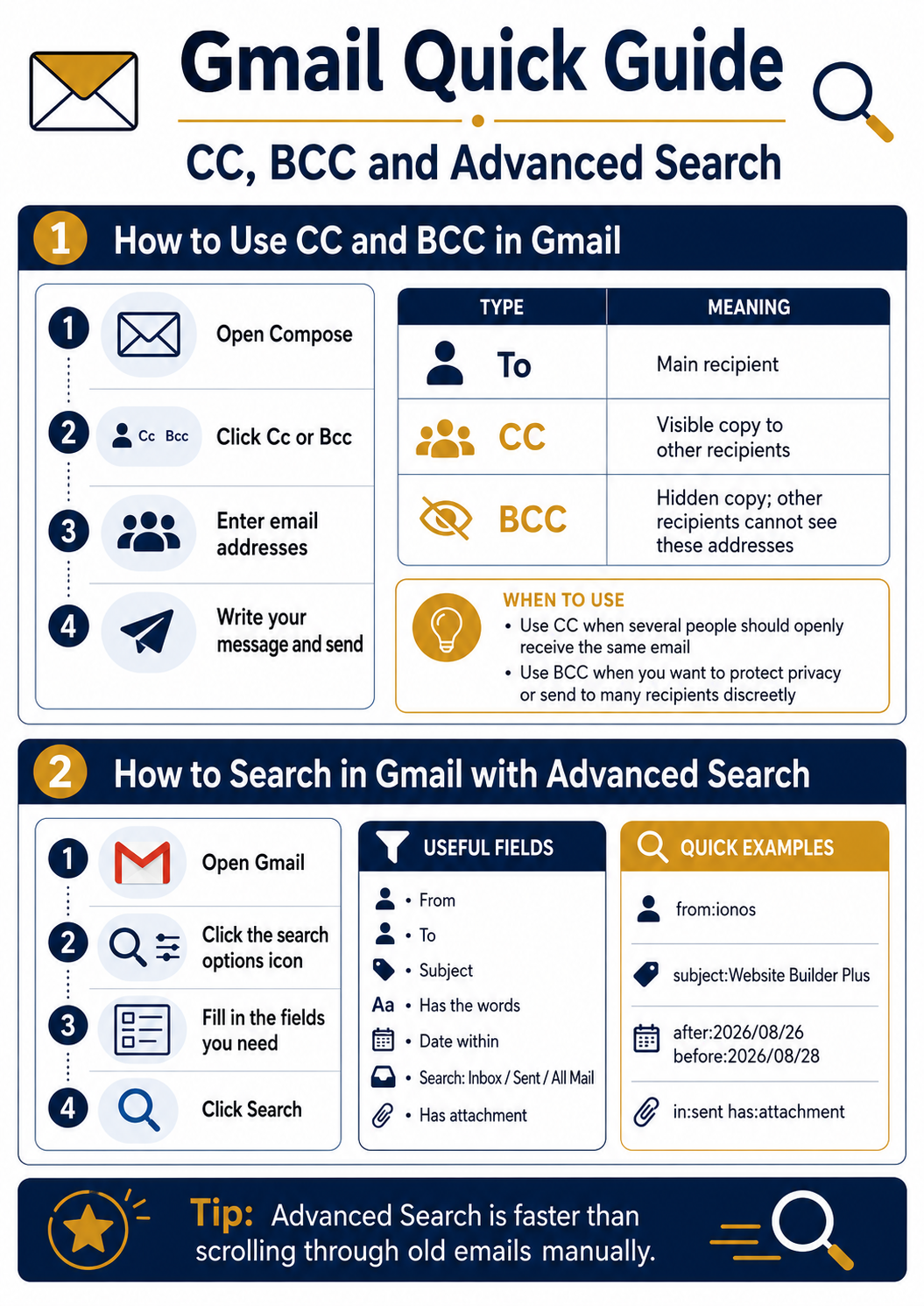
When creating a new email, Gmail allows you to add recipients in three different ways: To, CC and BCC.
To is used for the main recipient of the message.
CC — Carbon Copy is used when additional people should receive the same email and their addresses may be visible to all recipients.
BCC — Blind Carbon Copy is used when additional recipients should receive the message without their email addresses being visible to others.
BCC is especially useful for larger distributions where privacy should be protected.
When to Use CC
CC is suitable when several people are involved in the same business matter and everyone should clearly see who received the correspondence.
For example, a message may be addressed to a company representative while a manager or business partner is included in CC.
When to Use BCC
BCC is useful when sending the same message to several unrelated recipients.
It helps protect email addresses and prevents recipients from seeing the complete mailing list.
How to Search Gmail with Advanced Search
For older business correspondence, manually scrolling through hundreds of emails can be inefficient.
Gmail Advanced Search provides a much faster solution.
Click the search options icon in the Gmail search bar. You can then search using several criteria, including:
- From
- To
- Subject
- Has the words
- Date within
- Search location
- Has attachment
Practical Example
If you need to find old correspondence with a specific company, you can combine the company name, subject and approximate date.
For example, searching by Subject + Date within can quickly locate a particular business discussion without scrolling through the mailbox manually.
Useful Gmail Search Commands
Gmail also supports direct search commands such as:
from:company@example.com
subject:Website Builder Plus
after:2026/08/26 before:2026/08/28
in:sent has:attachment
Several commands can also be combined in one search.
Business Communication Tip
For regular business correspondence, it is useful to develop a simple rule:
Use CC for transparent communication, BCC for recipient privacy, and Advanced Search for quickly retrieving older correspondence.
These small Gmail tools can save considerable time when managing long-term international business communication.
Marinex-Agent
Practical information for business communication, maritime cooperation and international networking.