
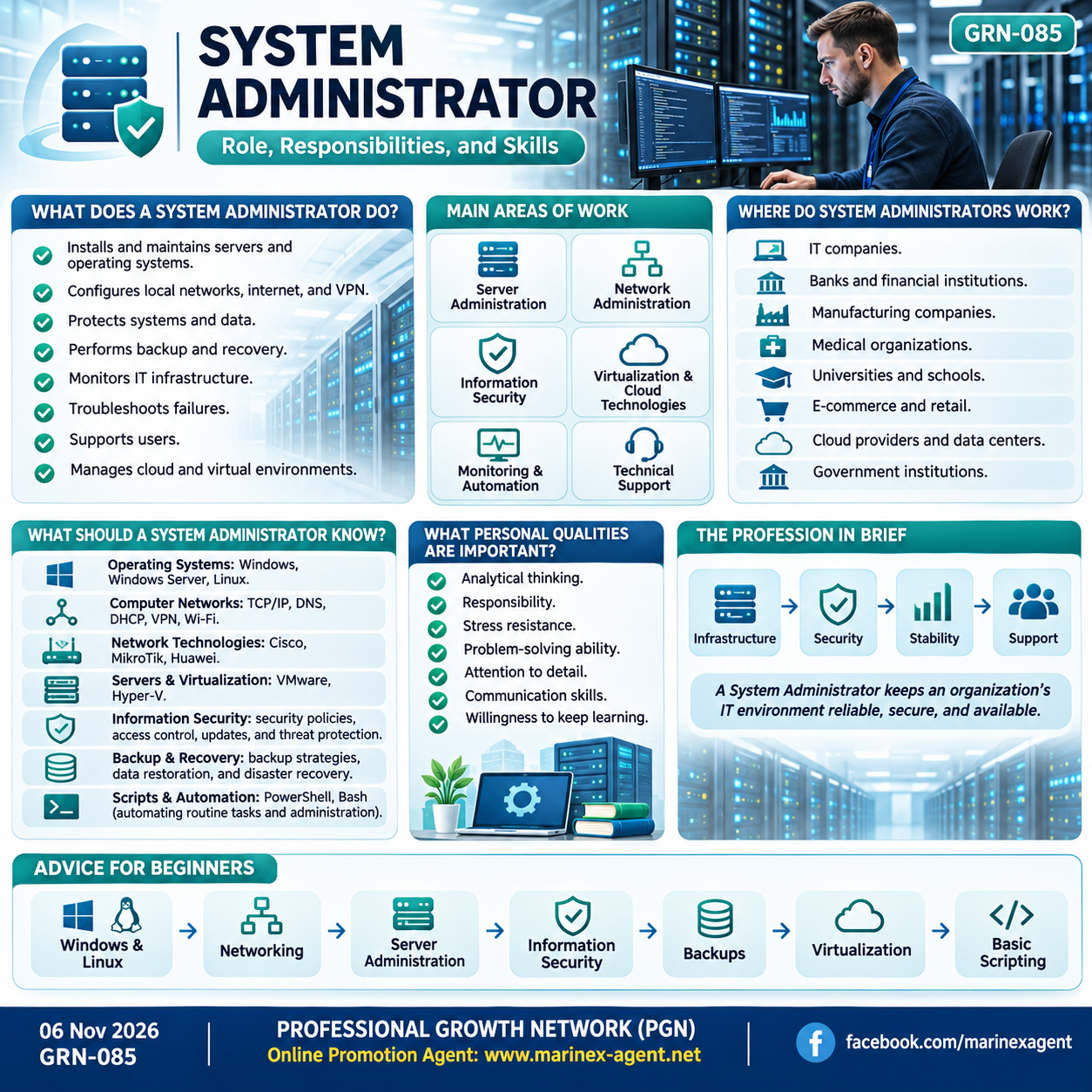
System Administrator:
Role, Responsibilities, and Skills
Parent Category: PROFESSIONAL GROWTH NETWORK (PGN)
Category: Computer Skills & Digital Literacy
Article Code: GRN-085
A System Administrator (SysAdmin) is a specialist responsible for keeping an organization’s servers, computer networks, and IT infrastructure running smoothly.
The main purpose of this role is to ensure that computers, servers, networks, software, and other digital systems remain stable, secure, and available with minimal downtime.
What Does a System Administrator Do?
A System Administrator performs a wide range of technical tasks, including:
- Installing and maintaining servers and operating systems
- Configuring local networks, internet access, and VPN connections
- Protecting systems and data
- Performing backups and restoring information
- Monitoring IT infrastructure
- Troubleshooting technical problems and system failures
- Responding to emergency situations
- Configuring cloud services and virtual environments
- Providing technical support to employees and users
In practical terms, the System Administrator helps keep the company’s technical infrastructure available and operational.
Main Areas of Work
A System Administrator usually works across several major areas.
Server Administration
System Administrators install, configure, update, and monitor server hardware and server operating systems.
Their responsibilities may include:
- Server deployment
- System updates
- Performance monitoring
- User access control
- System maintenance
- Troubleshooting
Network Administration
A System Administrator may be responsible for:
- Local Area Networks
- Routers
- Network equipment
- Wi-Fi
- Internet connections
- VPN
- Remote access
Reliable network operation is essential for communication between users, computers, servers, and online services.
Information Security
System Administrators play an important role in protecting IT systems from:
- Unauthorized access
- Viruses
- Malware
- Data leaks
- Data loss
Security tasks may include user access control, password policies, system updates, firewall configuration, and backup protection.
Virtualization and Cloud Technologies
Modern organizations increasingly use virtual servers and cloud services.
A System Administrator should therefore understand the basic principles of:
- Virtual machines
- Cloud infrastructure
- Remote servers
- Virtualized environments
- Resource allocation
These technologies help organizations use computing resources more efficiently.
Monitoring and System Automation
System Administrators monitor the condition and performance of servers, networks, and other IT systems.
Monitoring tools help detect:
- Performance problems
- Service interruptions
- Hardware issues
- Network failures
- System overload
Many repetitive tasks can also be automated with scripts and specialized administration tools.
Technical Support for Users
System Administrators often help employees solve everyday technical problems.
Typical support tasks may include:
- Computer problems
- Network connection issues
- Software configuration
- Access to corporate resources
- Email problems
- Peripheral device setup
- Password and account access issues
This makes communication skills an important part of the profession.
Database Management
Depending on the organization, a System Administrator may also perform basic tasks related to database maintenance.
These responsibilities may include:
- Maintaining database availability
- Managing access permissions
- Monitoring storage
- Supporting backups
- Assisting with recovery procedures
Where Do System Administrators Work?
System Administrators are needed almost everywhere computer infrastructure is used.
They may work in:
- IT companies
- Banks and financial institutions
- Manufacturing companies
- Medical organizations
- Universities and schools
- E-commerce businesses
- Retail companies
- Cloud service providers
- Data centers
- Government institutions
Even relatively small organizations often need someone responsible for computers, networks, servers, and security.
What Should a System Administrator Know?
A System Administrator needs knowledge across several technical areas.
Operating Systems
Important operating systems include:
- Windows
- Windows Server
- Linux
A good administrator should understand installation, configuration, updates, user accounts, permissions, and system maintenance.
Computer Networks
Important networking topics include:
- TCP/IP
- Local networks
- Routing
- DNS
- DHCP
- VPN
- Wi-Fi
These technologies form the foundation of modern computer communication.
Network Technologies
Knowledge of network equipment and platforms can be useful, including:
- Cisco
- MikroTik
- Huawei
- Other networking solutions
Understanding routers, switches, and network configuration is an important part of system administration.
Servers and Virtualization
A System Administrator should understand technologies such as:
- VMware
- Hyper-V
- Virtual machines
- Server redundancy
- Virtualized infrastructure
Virtualization allows several systems to operate efficiently on shared hardware.
Information Security
A System Administrator should understand basic protection methods for:
- Users
- Passwords
- Networks
- Servers
- Corporate data
Security is one of the most important areas of modern IT administration.
Backup and Recovery
One of the most important responsibilities of a System Administrator is ensuring that important information can be restored after:
- Hardware failure
- Software failure
- User error
- Cyberattack
- Accidental deletion
- System damage
A backup is useful only if it can actually be restored when needed.
Scripts and Automation
Knowledge of scripting can help automate repetitive tasks.
Useful tools may include:
- PowerShell
- Bash
- Other automation tools
Automation helps reduce manual work and improve consistency.
What Personal Qualities Are Important?
Technical knowledge alone is not enough.
A good System Administrator should also have:
- Analytical thinking
- Responsibility
- Stress resistance
- Problem-solving ability
- Attention to detail
- Technical literacy
- Willingness to keep learning
- Good communication skills
The ability to stay calm during technical failures is especially important.
Interesting Facts About the Profession
The work of a System Administrator often remains invisible while everything is functioning correctly.
Users usually notice the administrator when:
- The internet stops working
- A server becomes unavailable
- Login access fails
- Email stops functioning
- Files cannot be accessed
This means that one of the signs of good system administration is often the absence of visible problems.
Automation and artificial intelligence are also gradually changing the profession.
Many routine operations are becoming automated, so the role of the System Administrator is increasingly shifting from simple computer maintenance toward managing more complex IT infrastructure.
The Profession in Brief
The main purpose of system administration can be summarized as:
Infrastructure → Security → Stability → Support
A System Administrator should help ensure:
- Reliable equipment operation
- Server availability
- Stable computer networks
- Information security
- Data recovery capability
- Technical support for users
Advice for Beginners
A good learning path can begin with:
- Windows and Linux operating systems
- Computer networks
- Server administration
- Information security fundamentals
- Backup and recovery
- Virtualization
- Basic scripting and automation
System administration is a profession in which learning never really ends.
Technologies continue to change, and new systems, cloud services, security tools, and automation technologies appear regularly.
For this reason, one of the most important qualities of a future System Administrator is the willingness to keep learning and continuously develop new technical skills.
Conclusion
A System Administrator is one of the key specialists responsible for the technical stability of an organization.
The role combines:
Servers → Networks → Security → Backups → Automation → User Support
A strong System Administrator does not only fix problems.
The real goal is to create an IT environment that is stable, secure, predictable, and ready to support the organization’s daily work.
PROFESSIONAL GROWTH NETWORK (PGN)
Online Promotion Agent: www.marinex-agent.net
facebook.com/marinexagent
Article Code: GRN-085