
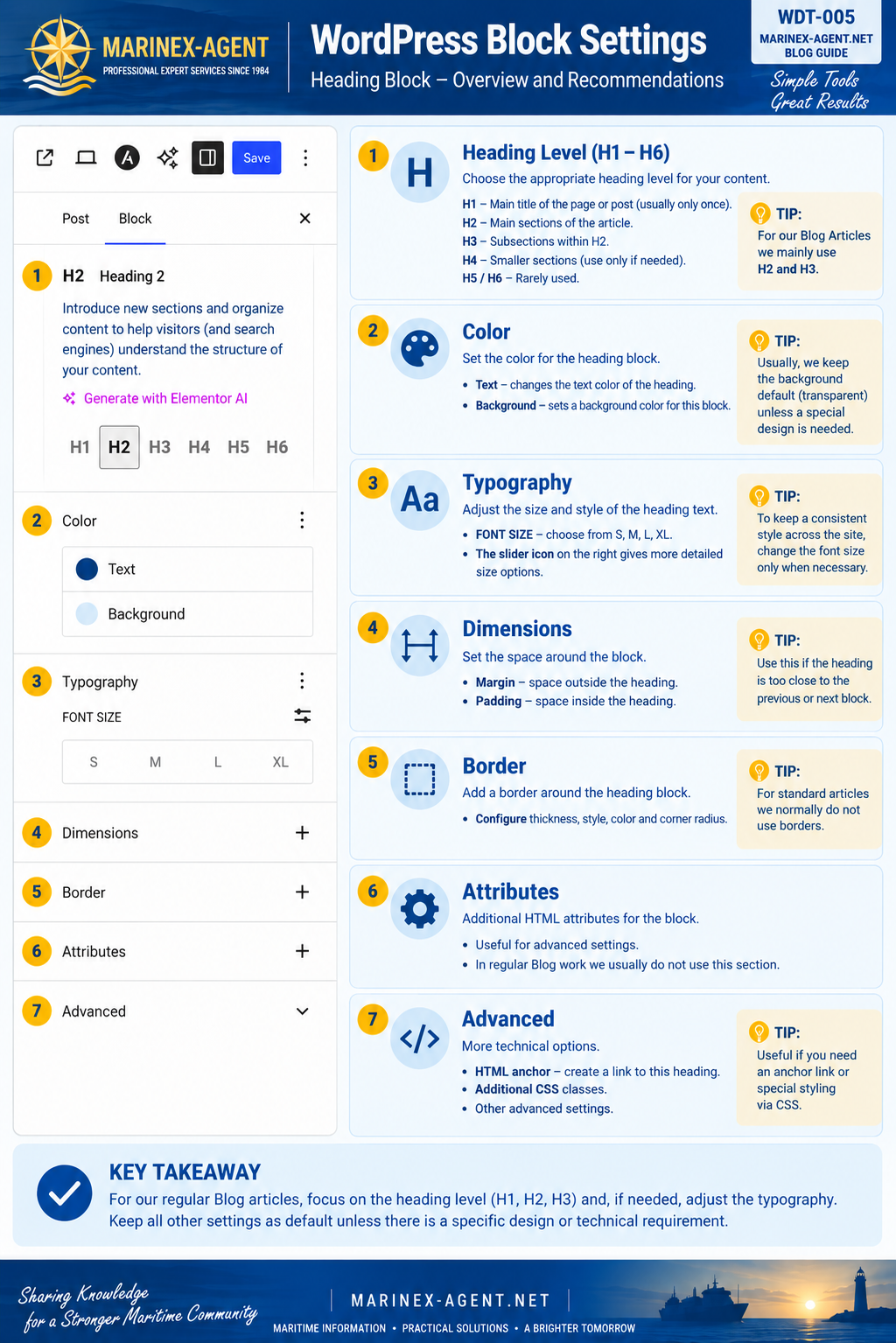
WordPress Block Settings
— Heading Block
CATEGORY: WEB & DIGITAL TOOLS
REF NO: WDT-005
The WordPress Block Editor provides individual settings for every content block. One of the most important elements when preparing Blog articles is the Heading Block, which helps organize information, improve readability, and create a clear structure for both visitors and search engines.
Heading Level — H1 to H6
WordPress allows the use of six heading levels:
- H1 — normally reserved for the main title of the page or post.
- H2 — used for the main sections of an article.
- H3 — used for subsections within H2 sections.
- H4–H6 — used for deeper levels of structure when necessary.
For most regular Blog articles, H2 and H3 are usually sufficient.
Color
The Color section allows the author to adjust:
- Text — changes the heading text color.
- Background — adds a background color behind the heading block.
For standard articles, it is usually better to keep the background transparent unless a special design element is required.
Typography
The Typography section controls the appearance of the heading.
Available options may include:
- font size;
- predefined sizes such as S, M, L, XL;
- additional detailed size controls.
To maintain a consistent visual style across the website, typography should normally remain unchanged unless a specific adjustment is necessary.
Dimensions
The Dimensions section controls spacing around the block.
Typical settings include:
- Margin — space outside the block;
- Padding — space inside the block.
These settings are useful when a heading appears too close to another element.
Border
The Border section allows a border to be added around the Heading Block.
Depending on the WordPress configuration, it may include:
- border width;
- style;
- color;
- corner radius.
For ordinary Blog articles, borders around headings are usually unnecessary.
Attributes
The Attributes section provides additional HTML-related settings.
These options are mainly intended for more advanced website configuration and normally do not need to be changed during routine Blog publishing.
Advanced
The Advanced section provides additional technical options such as:
- HTML Anchor — allows a direct link to a specific heading;
- Additional CSS Classes — allows custom styling through CSS;
- other advanced block settings.
These options can be useful for navigation, special formatting, or technical customization.
Practical Recommendation
For regular Blog work, the most important Heading Block settings are:
Heading Level → H2 / H3
Typography → only when necessary
All other settings should normally remain at their default values unless a specific design or technical requirement exists.
This approach keeps Blog articles consistent, clean, easy to maintain, and structurally correct.