
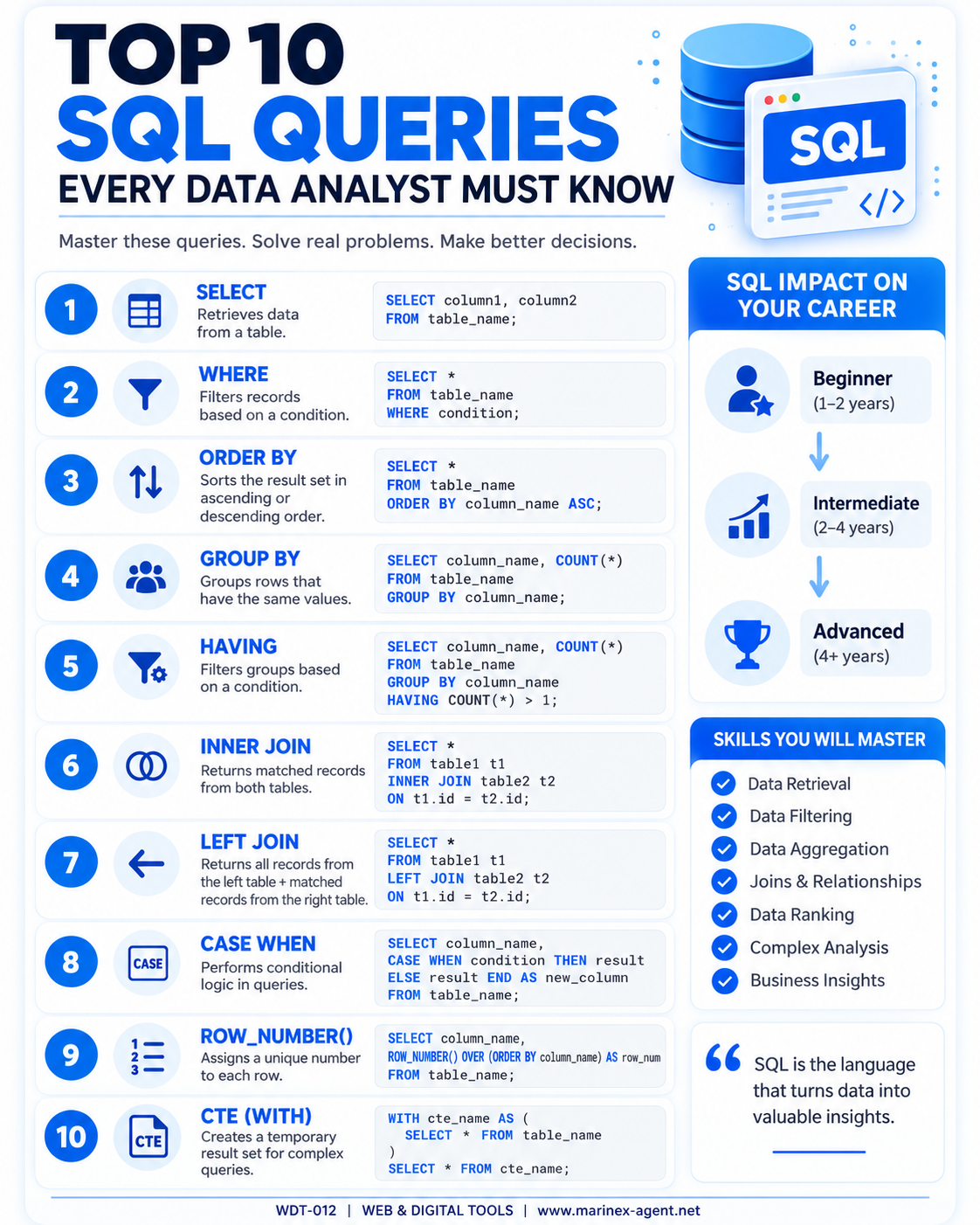
Top 10 SQL Queries Every Data
Analyst Must Know
ARTICLE CODE: WDT-012
SQL is one of the fundamental tools used by data analysts to retrieve, organize, filter, combine, and analyze information stored in databases.
A strong understanding of several core SQL queries allows an analyst to transform raw data into useful business information. Below are ten essential SQL concepts that form the foundation of practical data analysis.
1. SELECT
The SELECT statement is the basic SQL command used to retrieve data from a database table.
SELECT column1, column2
FROM table_name;
For example, an analyst may select employee names, salaries, vessel names, customer information, or transaction records from a database.
Main purpose: Data retrieval.
SELECT is usually the starting point for almost every SQL query.
2. WHERE
The WHERE clause filters records according to specific conditions.
SELECT *
FROM table_name
WHERE condition;
For example:
SELECT *
FROM employees
WHERE salary > 50000;
The database will return only employees whose salary is higher than 50,000.
WHERE can be combined with operators such as:
=><>=<=LIKEINBETWEEN
Main purpose: Data filtering.
3. ORDER BY
The ORDER BY clause sorts query results in ascending or descending order.
SELECT *
FROM table_name
ORDER BY column_name ASC;
Use:
ASC— ascending order;DESC— descending order.
For example:
SELECT name, salary
FROM employees
ORDER BY salary DESC;
This query displays employees starting with the highest salary.
Main purpose: Organizing query results.
4. GROUP BY
The GROUP BY clause combines rows that contain the same values and allows aggregate calculations.
SELECT column_name, COUNT(*)
FROM table_name
GROUP BY column_name;
For example, a company may use GROUP BY to determine:
- number of employees by department;
- number of customers by country;
- number of vessels by vessel type;
- total sales by product.
Frequently used aggregate functions include:
COUNT(), SUM(), AVG(), MIN(), and MAX().
Main purpose: Data aggregation and reporting.
5. HAVING
The HAVING clause filters grouped data after aggregation.
SELECT column_name, COUNT(*)
FROM table_name
GROUP BY column_name
HAVING COUNT(*) > 1;
The important distinction is:
WHERE filters individual records before grouping.
HAVING filters aggregated groups after GROUP BY.
For example, HAVING can display only departments with more than ten employees or vessel types represented by more than five vessels.
Main purpose: Filtering aggregated results.
6. INNER JOIN
An INNER JOIN combines related information stored in two tables and returns only matching records.
SELECT *
FROM table1 t1
INNER JOIN table2 t2
ON t1.id = t2.id;
For example, one database table may contain employees while another contains departments.
INNER JOIN can connect them using a common Department ID.
In a maritime database, the same principle could connect:
Seafarers → Sea Service → Vessels → Documents.
Main purpose: Connecting related database tables.
7. LEFT JOIN
A LEFT JOIN returns all records from the left table and matching records from the right table.
SELECT *
FROM table1 t1
LEFT JOIN table2 t2
ON t1.id = t2.id;
If no corresponding record exists in the right table, the database still keeps the left-table record and normally returns NULL for the missing information.
This is particularly useful when analysts need to identify missing records.
For example:
- seafarers without uploaded certificates;
- customers without orders;
- employees without assigned departments.
Main purpose: Combining data while preserving all records from the primary table.
8. CASE WHEN
The CASE WHEN expression introduces conditional logic into SQL.
SELECT column_name,
CASE
    WHEN condition THEN result
    ELSE result
END AS new_column
FROM table_name;
For example:
SELECT name, salary,
CASE
    WHEN salary >= 80000 THEN 'High'
    WHEN salary >= 50000 THEN 'Medium'
    ELSE 'Low'
END AS salary_level
FROM employees;
CASE allows analysts to create categories and classifications directly inside a query.
Typical applications include:
- salary categories;
- customer status;
- document validity;
- risk levels;
- availability status.
Main purpose: Conditional data classification.
9. ROW_NUMBER()
The ROW_NUMBER() function assigns a unique sequential number to rows within a query result.
SELECT column_name,
ROW_NUMBER() OVER (
    ORDER BY column_name
) AS row_num
FROM table_name;
ROW_NUMBER() is useful for:
- ranking records;
- removing duplicates;
- creating sequential numbers;
- selecting the latest record;
- organizing large query results.
It can also be combined with PARTITION BY to restart numbering within different groups.
Main purpose: Ranking and organizing data.
10. CTE — Common Table Expression
A CTE, or Common Table Expression, creates a temporary named result set that can be used inside another SQL query.
WITH cte_name AS (
    SELECT *
    FROM table_name
)

SELECT *
FROM cte_name;
CTEs are especially valuable when SQL queries become large or contain several analytical stages.
Instead of writing one complicated query, analysts can divide the work into logical sections.
CTEs help with:
- complex reports;
- multi-stage analysis;
- data preparation;
- recursive queries;
- improving readability.
Main purpose: Structuring complex SQL queries.
Conclusion
These ten SQL concepts provide a practical foundation for anyone working with databases and data analysis:
SELECT • WHERE • ORDER BY • GROUP BY • HAVING • INNER JOIN • LEFT JOIN • CASE WHEN • ROW_NUMBER() • CTE
Together, they allow an analyst to retrieve data, filter it, sort it, aggregate information, connect multiple tables, classify records, rank results, and build more sophisticated analytical queries.
The real value of SQL comes from combining these commands.
For example, a future Seamen’s Database could use SQL to identify:
Second Engineers + Tanker Experience + Valid Documents + Available Now
or:
Masters + LNG Experience + Medical Certificate Expiring Within 60 Days.
This is where a database develops from a simple storage system into a powerful tool for search, analysis, recruitment, and business decision-making.
ARTICLE CODE: WDT-012